
improved
Client Portal
File Reviews
August 18, 2022
Local Transaction Status / Question Status
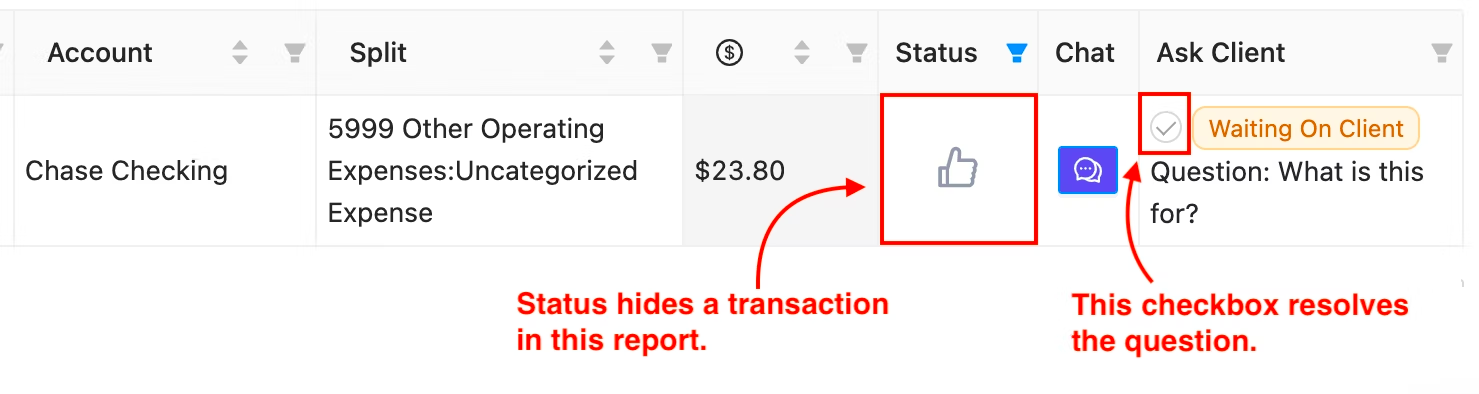
Until today, Transaction Status has always been global. This meant that closing a transaction in any report closed it in
every report
and hid it in the Client Portal.This lead to a lot of users accidentally closing out transactions in one report that were relevant in others. If this happened to you, it's not your fault – this was confusing
even to us!
Well no longer. As of today, Transaction Status is now localized to each report. We've also renamed this action from
closing
a transaction to reviewing
a transaction. This means that marking a transaction reviewed in one report will still leave it open in other reports. In addition, we've separated the reviewed status of a transaction from the logic of hiding a question in the portal.
You can find a lot more detail on the changes at this docs page.
Fixes and Improvements
- You can now adjust the sensitivity of the Duplicate Vendors report.
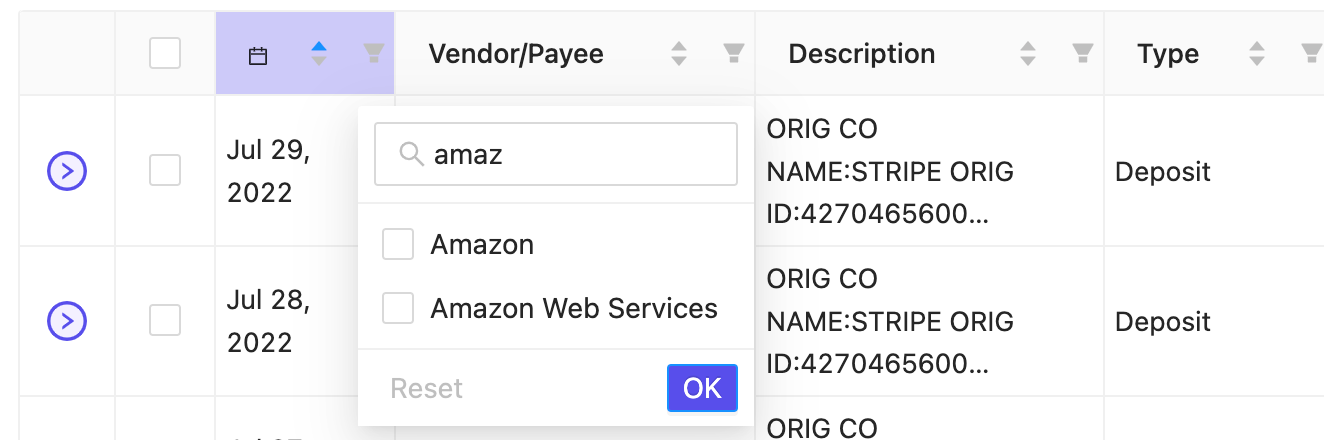
- You can now search in filters on tables in reports.
- You can now paste images from your clipboard to attach files.
- The Client List is now sortable by Client Properties.
- Fixed a bug affecting search in the Newly Added Accounts report.
- Fixed a bug causing some tasks not to show in related client comments.
- Fixed a bug causing text not to resize properly when date ranges were changed on Management Reports.
- Fixed a bug preventing Firm Tasks from moving to Completed on completion.
- Fixed a bug where the Prepare 1099s report was missing in some Close Templates.
- Fixed a bug where files would download with a different name from their name in Keeper.